
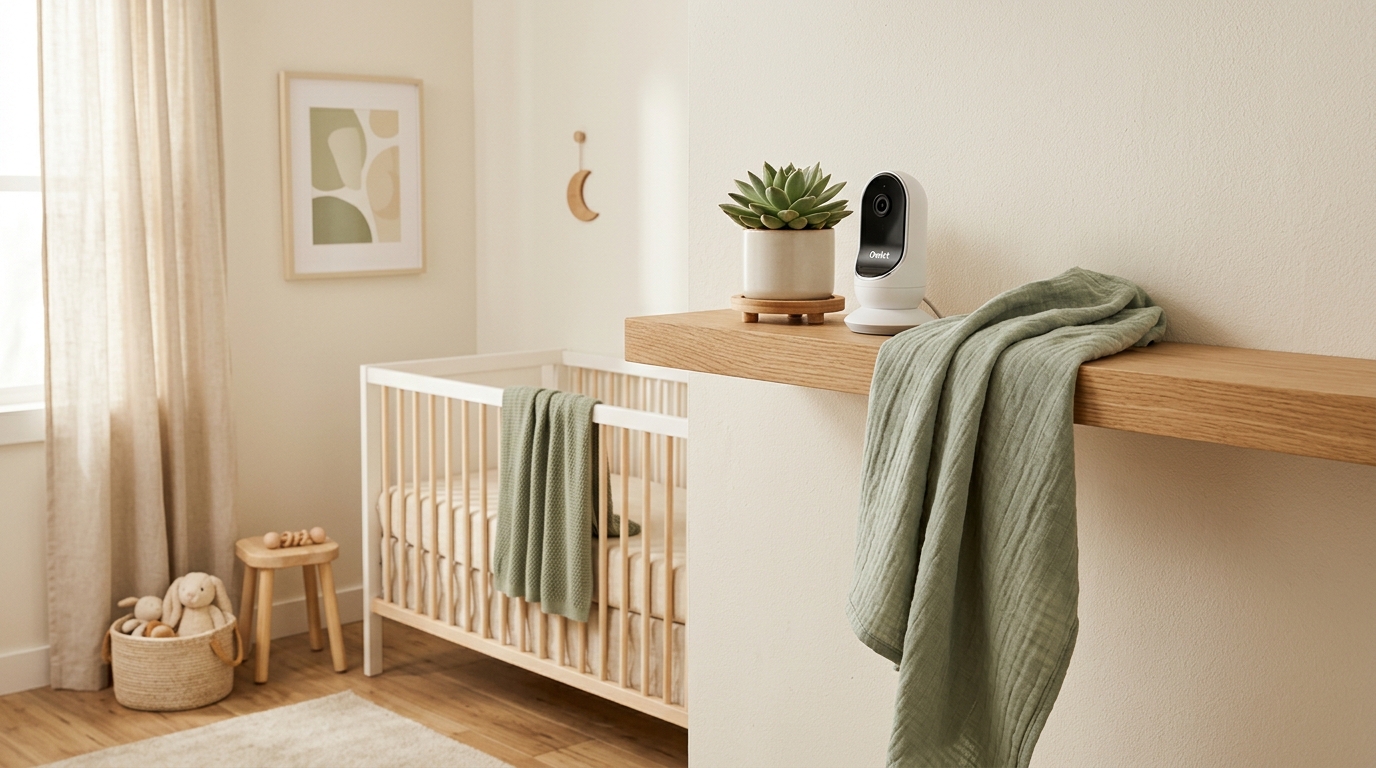
Buying a baby monitor in 2026 feels like buying a small surveillance system for your nursery — because, honestly, that’s kind of what it is. The options range from a $40 audio-only walkie-talkie to a $400+ smart monitor with AI sleep tracking, breathing analysis, and the ability to tell you your baby’s sleep quality score to two decimal places.
The question isn’t whether you need a baby monitor (you almost certainly do, unless you plan to stand over the crib 24/7, which — don’t). The question is how much tech you actually need versus how much is marketing.
We researched the top monitors on the market, analyzed parent reviews, compared features side by side, and cut through the hype to bring you honest picks at every price point. No sponsorships. No fluff. Just the monitors that are actually worth your money.
Quick note: This article contains affiliate links. If you purchase through our links, we may earn a small commission at no extra cost to you. We only recommend products we genuinely believe in.
What to Look for in a Baby Monitor (Before You Buy Anything)
Before we get to specific products, here’s what actually matters — and what’s just a nice-to-have:
The Non-Negotiables
Video quality: You want at least 720p, ideally 1080p. You need to be able to clearly see your baby, especially in the dark (night vision is standard on all modern monitors, but quality varies).
Reliability: The monitor needs to work consistently. A monitor that drops connection, lags, or crashes the app at 2 AM is worse than no monitor at all. This is where parent reviews matter more than spec sheets.
Night vision: Your baby sleeps in the dark (hopefully). Night vision should be clear, high-contrast, and not so bright that it disturbs sleep. Most modern monitors use infrared, which is invisible to the baby.
Two-way audio: Being able to talk to your baby (or shush them) remotely is genuinely useful, especially if you’re trying to soothe them back to sleep without going into the room.
Range or WiFi stability: If you choose a non-WiFi monitor, range matters — you need it to work from anywhere in your house. If you choose WiFi, your home network needs to be solid.
Nice-to-Have (But Not Essential)
Sleep tracking and analytics: Smart monitors can track sleep duration, patterns, and wake windows. Helpful for some parents, anxiety-inducing for others. Know which type you are.
Breathing/movement monitoring: Some monitors (like Owlet) track breathing patterns or blood oxygen levels. These can provide peace of mind but also generate false alarms. The AAP doesn’t recommend home cardiorespiratory monitors for healthy infants as a strategy to prevent SIDS — but many parents find them reassuring.
Temperature and humidity sensors: Useful for keeping the nursery comfortable, but you can also buy a $10 standalone thermometer.
Multi-camera support: Important if you have more than one child or want cameras in multiple rooms.
Pan, tilt, and zoom: Lets you move the camera remotely to follow your baby around the crib. Nice, but a well-positioned wide-angle camera often eliminates the need.
WiFi vs. Non-WiFi: The Big Decision
This is the first fork in the road, and it matters:
WiFi monitors connect to your home network and stream to your phone via an app. Pros: You can check in from anywhere (work, a restaurant, grandma’s house), they tend to have more features (sleep tracking, AI analysis), and they often have better cameras. Cons: They depend on your WiFi (if it goes down, so does your monitor), there are potential security/privacy concerns, and some require subscriptions for full features.
Non-WiFi (dedicated) monitors come with their own receiver/screen and use a direct wireless signal. Pros: They work independently of your internet, there’s no app to deal with, no subscription fees, no hacking concerns, and they tend to be simpler to use. Cons: Limited range, you have to carry the receiver around, and fewer smart features.
Our take: WiFi monitors offer more flexibility and features, but non-WiFi monitors are more reliable and simpler. If your WiFi is solid and you want smart features, go WiFi. If you just want something that works without fuss, go non-WiFi.
Our Top Picks
🏆 Best Overall: Nanit Pro Smart Baby Monitor
Price: ~$230 (camera + wall mount)
Type: WiFi
Camera: 1080p HD, 130° wide angle
Night vision: Yes (clear, high-contrast)
Two-way audio: Yes
Sleep tracking: Yes (Nanit Insights — included free for basic tracking)
Subscription: Optional Nanit Pro plan ($100/year or $10/month) for extended features, sleep analytics, and unlimited video history
Why we picked it: The Nanit Pro is the most-recommended smart baby monitor for a reason. The camera quality is excellent — 1080p with a wide 130-degree angle means you can see the entire crib without pan-and-tilt. Night vision is sharp enough to see your baby’s breathing movements clearly.
The Nanit Insights sleep tracking is where it really differentiates. Using the camera (no wearable required), it tracks your baby’s sleep duration, quality, and patterns — and gives you actionable sleep tips. It’s like having a sleep consultant living in your nursery. The basic sleep tracking is free; the full analytics require a subscription.
Setup is straightforward (wall mount or floor stand), and the app is well-designed and responsive. Split-screen support lets you monitor multiple rooms if you add a second camera.
The catch: You’re locked into the Nanit ecosystem, and the subscription adds ongoing cost if you want the premium features. WiFi dependency means if your internet drops at 3 AM, so does your feed. Some parents also find the sleep data anxiety-inducing rather than helpful — know yourself.
Best for: Tech-comfortable parents who want data and insights, not just video.
📱 Best Video-Only (No WiFi): Babysense MaxView Pro
Price: ~$160 (with 2 cameras)
Type: Non-WiFi (dedicated 5″ screen)
Camera: 1080p HD, 360° pan, 90° tilt
Night vision: Yes
Two-way audio: Yes
Sleep tracking: No
Subscription: None
Why we picked it: If you don’t want WiFi involved in monitoring your baby — whether for privacy, reliability, or simplicity reasons — the Babysense MaxView Pro is the best option we’ve found. It comes with a dedicated 5-inch screen (no phone needed), and the image quality is surprisingly sharp for a non-WiFi monitor.
The 360-degree pan and 90-degree tilt mean you can move the camera to follow your baby anywhere in the crib from the parent unit. It also comes with two cameras and split-screen capability, which is a genuine value for the price. The 1,000-foot range is more than enough for most homes.
The catch: No smart features, no sleep tracking, no remote access from outside your home. You have to carry the parent unit with you. It’s a monitor and only a monitor — which is either a limitation or a feature, depending on your perspective.
Best for: Parents who want reliable, simple monitoring without WiFi, apps, or subscriptions.
💚 Best for Anxious Parents: Owlet Dream Duo 2 (Smart Sock + Cam)
Price: ~$380 (sock + camera bundle)
Type: WiFi
Camera: 1080p HD, 130° wide angle
Night vision: Yes
Two-way audio: Yes
Sleep tracking: Yes (with physiological data from sock)
Health tracking: Heart rate and blood oxygen level (via Dream Sock)
Subscription: Optional Owlet Dream app features ($5–10/month depending on tier)
Why we picked it: The Owlet Dream Duo combines a camera with the Dream Sock — a wearable that wraps around your baby’s foot and tracks heart rate and blood oxygen levels in real time. For parents who struggle with anxiety around SIDS or breathing issues, this level of data can be genuinely reassuring.
The Dream Sock sends notifications if readings fall outside preset zones, giving you an early alert system. The camera is solid (1080p, good night vision, two-way audio), and the app combines video feed with the sock’s health data in one view.
The entire bundle is also HSA/FSA eligible, which means if you have a health savings account, this might effectively be discounted.
The catch: The AAP does not recommend home cardiorespiratory monitors for preventing SIDS in healthy infants. The Owlet is a wellness device, not a medical device (though it has FDA clearance for pulse oximetry). False alarms happen, and for some parents, the constant data stream creates more anxiety rather than less. The sock also only works for babies up to about 18 months and roughly 30 pounds.
Best for: Parents who want physiological data for peace of mind, and who won’t be sent spiraling by occasional false alerts.
💰 Best Budget: HelloBaby HB6550
Price: ~$60
Type: Non-WiFi (dedicated 5″ screen)
Camera: 720p, manual pan/tilt
Night vision: Yes
Two-way audio: Yes
Sleep tracking: No
Temperature sensor: Yes
Subscription: None
Why we picked it: Under $60 for a monitor that actually works well is remarkable. The HelloBaby HB6550 has been a top-selling budget monitor for years, and for good reason. The 5-inch screen is clear enough, night vision works, two-way audio works, and the built-in temperature sensor lets you keep tabs on nursery conditions.
It’s dead simple. Plug in the camera, turn on the receiver, done. No app, no WiFi, no account creation, no subscription. It just works.
The catch: Image quality is 720p, which is noticeably softer than 1080p models. No smart features of any kind. The range (960 feet claimed) is adequate for most homes but may struggle with thick walls or large houses. The interface and build quality feel budget — because they are.
Best for: Parents who want a functional monitor at the lowest possible price, without frills.
🔋 Best Portable / Travel: Nanit Pro Travel Stand Bundle
Price: ~$280 (camera + travel stand + wall mount)
Type: WiFi
Camera: 1080p HD (same camera as standard Nanit Pro)
Night vision: Yes
Portability: Foldable travel stand, snap-on/snap-off camera
Why we picked it: Traveling with a baby is already a logistical puzzle. The Nanit Pro with the travel stand lets you bring your entire monitoring setup on the road — grandma’s house, vacation rental, hotel room. The travel stand is lightweight and folds flat, and the camera snaps on and off the base in seconds.
Because it’s the same Nanit Pro camera, you get all the same features (1080p, sleep tracking, two-way audio) in a portable format. If you already own a Nanit at home, you can buy just the travel stand separately.
The catch: Requires WiFi wherever you’re traveling, which isn’t always reliable (looking at you, vacation rentals). It’s also a premium price for what is essentially the standard Nanit with an extra stand. If you’re not already in the Nanit ecosystem, this is an expensive entry point.
Best for: Parents who travel frequently and want a consistent monitoring experience away from home.
🔇 Best Audio-Only: VTech DM221
Price: ~$30
Type: Non-WiFi (DECT audio)
Camera: None
Two-way audio: Yes
Night light: Yes (on nursery unit)
Range: 1,000 feet
Subscription: None
Why we picked it: Sometimes all you need is to hear your baby. The VTech DM221 is a simple, reliable audio monitor that does exactly one thing and does it well. DECT technology means clear, secure audio with zero interference. The range is excellent, battery life on the portable parent unit is solid, and it includes a nightlight on the nursery unit.
At ~$30, it’s practically an impulse buy — and a great backup to have even if you own a video monitor (WiFi goes down? Audio monitor still works).
The catch: No video. In 2026, that feels like a significant limitation for most parents. You can hear your baby cry, but you can’t see what’s happening. For many people, the peace of mind of being able to see their baby is worth the upgrade to video.
Best for: Minimalists, backup monitor situations, or parents who prefer audio and check visually in person.
📊 Best Smart Features: Cradlewise 2
Price: ~$1,800 (it’s a smart crib — monitor built in)
Type: WiFi
Camera: 1080p HD with AI
Night vision: Yes
Unique feature: Built-in crib with automatic bouncing to soothe baby back to sleep
Sleep tracking: Yes (AI-powered, integrated with crib function)
Subscription: None (included with purchase)
Why we picked it: Okay, this is a splurge. The Cradlewise 2 isn’t just a baby monitor — it’s a smart bassinet-to-crib with a built-in 1080p camera and AI that detects when your baby is starting to wake up and automatically bounces them back to sleep. If it works for your baby (and it won’t work for every baby), it’s essentially an extra pair of hands during the night.
The AI learns your baby’s sleep patterns and gets better over time at predicting and preventing wake-ups. The built-in monitor gives you video, audio, sleep tracking, and environmental data — no separate device needed.
The catch: The price. At ~$1,800, this is a significant investment, and if your baby doesn’t respond to the bouncing motion, you’ve spent a lot on a very fancy crib with a monitor in it. It’s also WiFi-dependent, and some parents report a learning curve with the app.
Best for: Parents with the budget who want an all-in-one smart nursery solution and are okay with the risk that it might not suit their baby’s preferences.
Quick Comparison Chart
| Monitor | Type | Price | Resolution | Sleep Tracking | Subscription | Best For | |———|——|——-|————|—————-|————-|———-| | Nanit Pro | WiFi | ~$230 | 1080p | Yes (camera) | Optional ($100/yr) | Best overall | | Babysense MaxView Pro | Non-WiFi | ~$160 | 1080p | No | None | Reliability + simplicity | | Owlet Dream Duo 2 | WiFi | ~$380 | 1080p | Yes + health data | Optional ($5–10/mo) | Anxious parents | | HelloBaby HB6550 | Non-WiFi | ~$60 | 720p | No | None | Budget | | Nanit Pro Travel | WiFi | ~$280 | 1080p | Yes | Optional ($100/yr) | Traveling families | | VTech DM221 | Audio | ~$30 | N/A | No | None | Backup / minimalist | | Cradlewise 2 | Smart Crib | ~$1,800 | 1080p | Yes (AI) | None | All-in-one splurge |
How to Decide: A Decision Tree
Still not sure? Here’s the fast track:
How important is viewing your baby from your phone (anywhere)?
- Very important → WiFi monitor (Nanit Pro or Owlet)
- Not important → Non-WiFi monitor (Babysense or HelloBaby)
- I just need to hear them → Audio monitor (VTech DM221)
How important is sleep tracking and data?
- I want all the data → Nanit Pro or Cradlewise 2
- I want health/vital data → Owlet Dream Duo 2
- I don’t need data → Babysense MaxView Pro
What’s your budget?
- Under $75 → HelloBaby HB6550 or VTech DM221
- $150–$250 → Babysense MaxView Pro or Nanit Pro
- $250–$400 → Nanit Pro Travel or Owlet Dream Duo 2
- Money is not the primary concern → Cradlewise 2
Do you travel a lot with baby?
- Yes → Nanit Pro Travel Stand Bundle
- No → Any of the above based on other preferences
What About Security and Privacy?
This is a legitimate concern — WiFi baby monitors have been in the news for security vulnerabilities over the years. Here’s what to know:
For WiFi monitors:
- Choose monitors from established brands with a track record of security updates (Nanit and Owlet both use end-to-end encryption)
- Keep your monitor’s firmware updated
- Use a strong, unique WiFi password
- Enable two-factor authentication on the monitor’s app if available
- Consider putting the monitor on a separate network or IoT VLAN if you’re tech-savvy
For non-WiFi monitors:
- Security is a non-issue — they use direct, encrypted radio signals that aren’t accessible via the internet
If privacy is a top concern and you don’t want any video of your baby transmitted over the internet, a non-WiFi monitor eliminates the risk entirely.
The Bottom Line
You don’t need the most expensive baby monitor on the market to be a great parent. You need one that works reliably, shows you your baby clearly, and fits your life.
For most new parents, the Nanit Pro offers the best combination of quality, features, and value. If you prefer simplicity and reliability without WiFi, the Babysense MaxView Pro is excellent. And if your budget is tight, the HelloBaby HB6550 proves you don’t need to spend hundreds to keep an eye on your baby.
Whatever you choose, the most important thing is this: a baby monitor is a tool to help you rest when your baby rests. If it’s doing that, it’s doing its job.
Prices are approximate and may vary by retailer. All products were researched and evaluated based on specifications, expert reviews, and parent feedback as of March 2026.
This article contains affiliate links. If you purchase through our links, we may earn a small commission at no extra cost to you. Our recommendations are always based on genuine merit.
Read more from Expectant: